Without rate limiting an automated attacker can send far more login attempts than your application should ever accept. Here is how to stop that in plain PHP and Laravel.
This is the thirteenth article in a series on PHP and Laravel application security.
So far we have covered:
- Detecting SQL injection attempts in PHP logs
- Why URL encoding blinds most PHP security checks
- The decode bomb problem with unlimited URL decoding
- Why parameterized queries are the only real fix for SQL injection
- XSS prevention in Laravel and why
{!! !!}is the line between safe and hacked - How attackers enumerate your Laravel app before exploiting it
- File upload security — the file that isn’t what it claims to be
- Path traversal in PHP — how
../escapes your application - Command injection in PHP — when
exec()becomes an attack surface - Broken access control in Laravel — why being logged in is not enough
- Secrets in Laravel — why
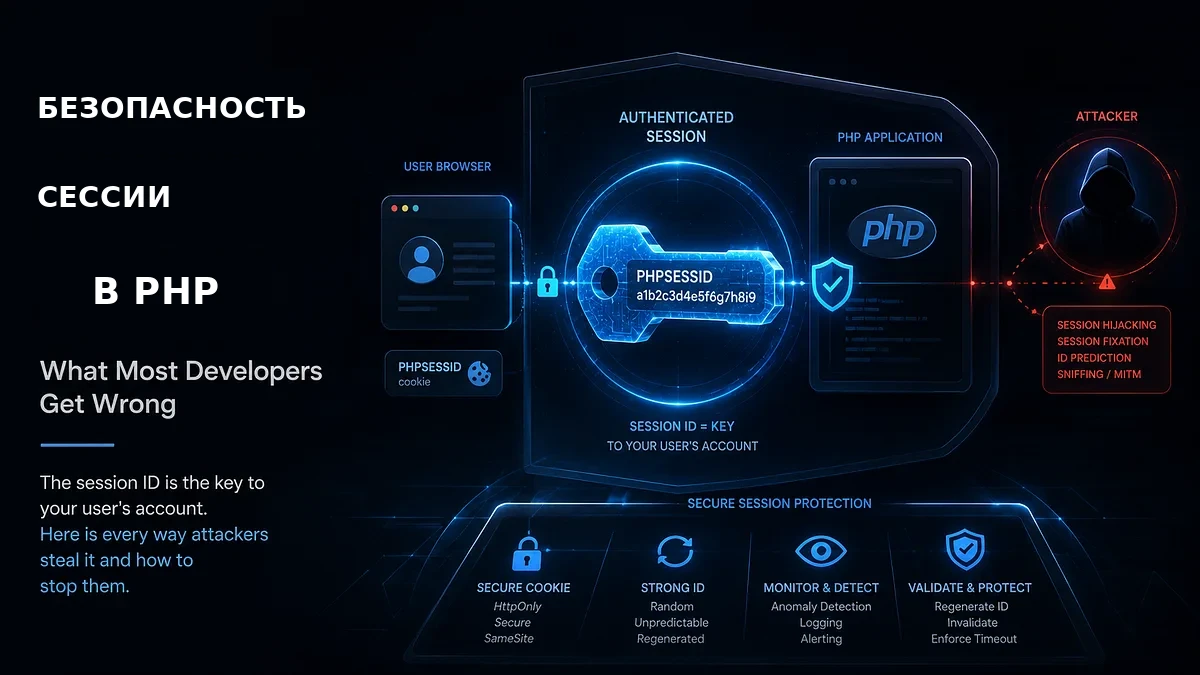
.envis only the beginning - Session security in PHP — what most developers get wrong
Every article in this series follows the same principle understand the attack before you try to stop it.
Brute force attacks are not sophisticated. They do not require exploiting a vulnerability in your code. They require only that your application accepts unlimited login attempts and most PHP applications do.
What Brute Force Actually Is
A brute force attack is when an attacker tries many passwords against a login form hoping one works. Modern brute force attacks are fully automated. A script sends login requests as fast as your server will accept them.
There are three common variants:
Simple brute force tries every possible password combination until one works. Slow but exhaustive. Only practical against very weak passwords.
Dictionary attacks try a list of common passwordspassword123, qwerty, admin, letmein. Fast and effective because most users choose predictable passwords.
Credential stuffing uses username and password combinations leaked from other breached websites. If a user reused their password from a previously breached service the attacker gets in immediately without needing to guess anything. This is the most effective modern login attack because it exploits human behavior rather than application weaknesses.
All three share one characteristic: they require many requests. Rate limiting makes all three significantly harder by controlling how many attempts are allowed in a given time window.
Rate Limiting in Plain PHP
PHP has no built-in rate limiting. You implement it using a storage mechanism to track attempts.
Session-based rate limiting — for demonstration only:
session_start();
function checkRateLimit(int $maxAttempts, int $windowSeconds): bool
{
    $key = 'login_attempts';
    $windowKey = 'login_window_start';
    $now = time();

    if (!isset($_SESSION[$windowKey]) ||
        ($now - $_SESSION[$windowKey]) > $windowSeconds) {
        $_SESSION[$windowKey] = $now;
        $_SESSION[$key] = 0;
    }

 $_SESSION[$key]++;

 return $_SESSION[$key] <= $maxAttempts;
}

if (!checkRateLimit(5, 60)) {
    http_response_code(429);
    header('Retry-After: 60');
    die('Too many attempts. Please try again in 60 seconds.');
}
Session-based rate limiting should not be treated as meaningful brute-force protection. An attacker can create or discard sessions repeatedly and reset the counter each time. Use it only as a simple demonstration or last resortnot as real protection. Sessions are tied to one browser and automated tools that do not maintain sessions bypass it entirely.
Database-based rate limiting — reliable for moderate traffic:
// Required table
// CREATE TABLE login_attempts (
//     id INT AUTO_INCREMENT PRIMARY KEY,
//     identifier VARCHAR(255) NOT NULL,
//     attempted_at INT NOT NULL,
//     INDEX idx_identifier_time (identifier, attempted_at)
// );

function checkRateLimitDb(
    PDO $pdo,
    string $identifier,
    int $maxAttempts,
    int $windowSeconds
): bool {
    $now = time();
    $windowStart = $now - $windowSeconds;
    $stmt = $pdo->prepare('
        SELECT COUNT(*)
        FROM login_attempts
        WHERE identifier = ?
        AND attempted_at > ?
    ');
    $stmt->execute([$identifier, $windowStart]);
    $count = (int) $stmt->fetchColumn();
    if ($count >= $maxAttempts) {
        return false;
    }
    $stmt = $pdo->prepare('
        INSERT INTO login_attempts (identifier, attempted_at)
        VALUES (?, ?)
    ');
    $stmt->execute([$identifier, $now]);
    return true;
}
$ip = $_SERVER['REMOTE_ADDR'] ?? '0.0.0.0';
if (!checkRateLimitDb($pdo, 'login:ip:' . $ip, 5, 60)) {
    http_response_code(429);
    header('Retry-After: 60');
    die('Too many login attempts. Please try again in 60 seconds.');
}
Redis-based rate limiting — the production standard:
Redis is a strong option for production rate limiting, especially when you need atomic counters and shared state across multiple application instances:
function checkRateLimitRedis(
    Redis $redis,
    string $identifier,
    int $maxAttempts,
    int $windowSeconds
): bool {
    $key = 'rate_limit:' . $identifier;

$attempts = $redis->incr($key);
    if ($attempts === 1) {
        $redis->expire($key, $windowSeconds);
    }
    return $attempts <= $maxAttempts;
}
$redis = new Redis();
$redis->connect('127.0.0.1', 6379);
$ip = $_SERVER['REMOTE_ADDR'] ?? '0.0.0.0';
$email = strtolower(trim($_POST['email'] ?? ''));
$ipAllowed = checkRateLimitRedis($redis, 'login:ip:' . $ip, 10, 60);
$emailAllowed = checkRateLimitRedis($redis, 'login:email:' . $email, 5, 300);
if (!$ipAllowed || !$emailAllowed) {
    http_response_code(429);
    header('Retry-After: 60');
    die('Too many attempts. Please try again later.');
}
Important note on atomicity: the INCR followed by EXPIRE sequence is not a single atomic operation. In rare failure scenarios the key could be incremented without the expiry being set leaving a key without its intended TTL. For critical production implementations consider using a Redis transaction or Lua script to make the operation fully atomic.
Rate Limiting by Multiple Factors
Rate limiting only by IP address has a weakness attackers using botnets distribute attempts across thousands of IP addresses, each making only a few requests. Rate limiting by multiple factors simultaneously closes this gap:
By IP address — stops automated attacks from single sources.
By username or email — prevents rotating through IP addresses to attack one account. Even from different IPs the account-level limit applies.
By IP plus email combination — the most targeted limit for a specific attacker targeting a specific account.
$ipAllowed = checkRateLimitRedis($redis, 'login:ip:' . $ip, 10, 60);
$emailAllowed = checkRateLimitRedis($redis, 'login:email:' . $email, 5, 300);
$combinedAllowed = checkRateLimitRedis($redis, 'login:combined:' . $ip . ':' . $email, 3, 60);

if (!$ipAllowed || !$emailAllowed || !$combinedAllowed) {
    http_response_code(429);
    header('Retry-After: 60');
    die('Too many attempts. Please try again later.');
}
Progressive Delays
Instead of hard blocking after a threshold progressive delays increase the wait time after each failed attempt:
$delays = [0, 0, 0, 2, 5, 10, 30, 60];

$attempts = (int) ($redis->get('login:attempts:' . $ip) ?: 0);
$delay = $delays[min($attempts, count($delays) - 1)];
if ($delay > 0) {
    sleep($delay);
}
Progressive delays are gentler on legitimate users who mistype their password they experience a small wait but are not hard blocked. Automated attackers are slowed dramatically because every attempt costs them time.
Rate Limiting in Laravel
Laravel has a built-in rate limiting system that handles most of what you would build manually.
The throttle middleware — simplest approach:
// routes/web.php
Route::post('/login', [AuthController::class, 'login'])
    ->middleware('throttle:5,1'); // 5 attempts per 1 minute per IP
This is the minimum. For a production login endpoint you need more control.
Named rate limiters — the correct production approach:
The exact location of rate limiter definitions depends on your Laravel version recent releases have moved this configuration. The following shows the underlying rate-limiter API which remains consistent across versions:
use Illuminate\Cache\RateLimiting\Limit;
use Illuminate\Support\Facades\RateLimiter;

RateLimiter::for('login', function (Request $request) {
    return [
        Limit::perMinute(5)->by($request->ip()),
        Limit::perMinutes(5, 10)->by($request->input('email')),
    ];
});
RateLimiter::for('api', function (Request $request) {
    return $request->user()
        ? Limit::perMinute(60)->by($request->user()->id)
        : Limit::perMinute(10)->by($request->ip());
});
RateLimiter::for('sensitive', function (Request $request) {
    return [
        Limit::perMinute(3)->by($request->ip()),
        Limit::perHour(10)->by($request->ip()),
    ];
});
// routes/web.php
Route::post('/login', [AuthController::class, 'login'])
->middleware('throttle:login');
Route::post('/password/reset', [PasswordController::class, 'send'])
->middleware('throttle:sensitive');
// routes/api.php
Route::middleware('throttle:api')->group(function () {
Route::get('/user', [UserController::class, 'show']);
Route::apiResource('invoices', InvoiceController::class);
});Manual rate limiting in controllers — maximum control:
use Illuminate\Support\Facades\RateLimiter;

public function login(Request $request)
{
    $key = 'login:' . $request->ip() . ':' . $request->input('email');
    if (RateLimiter::tooManyAttempts($key, 5)) {
        $seconds = RateLimiter::availableIn($key);
        return response()->json([
            'message' => "Too many attempts. Try again in {$seconds} seconds."
        ], 429);
    }
    if (!Auth::attempt($request->only('email', 'password'))) {
        RateLimiter::hit($key, 60);
        return response()->json(['message' => 'Invalid credentials.'], 401);
    }
    RateLimiter::clear($key);
    $request->session()->regenerate();
    return response()->json(['message' => 'Authenticated.']);
}
Four methods to understand:
RateLimiter::hit($key, $decay)records an attempt with a decay time in secondsRateLimiter::tooManyAttempts($key, $maxAttempts)checks if the limit is exceededRateLimiter::clear($key)resets the counter call this after successful login so a legitimate user who mistyped their password starts freshRateLimiter::availableIn($key)returns seconds until the limit resets for user-friendly error messages
When a rate limit is hit a Retry-After header can tell clients when to retry. If your API exposes rate-limit headers such as X-RateLimit-Limit and X-RateLimit-Remaining, clients can also understand their current quota though the exact headers emitted depend on your Laravel version and configuration.
Redis-backed rate limiting for production:
Laravel’s rate limiter uses the cache driver. For production set Redis as the cache driver:
# .env
CACHE_DRIVER=redis
REDIS_HOST=127.0.0.1
REDIS_PORT=6379
With Redis as the cache driver Laravel’s rate limiting is atomic, fast, and automatically distributed across multiple application servers.
What to Rate Limit
Not just login endpoints. Every endpoint that can be abused benefits from rate limiting:
Always rate limit — strict limits:
- Login endpoints
- Password reset requests
- Registration forms
- Email verification resends
- OTP and 2FA code submission
- Account deletion confirmation
Rate limit with moderate limits:
- API endpoints for authenticated users
- Search endpoints
- File upload endpoints
Rate limit generously:
- Public API endpoints
- Contact forms
- Comment submission
Responding to Rate Limit Violations
How you respond matters as much as whether you rate limit:
// Wrong — reveals too much
return response()->json([
    'error' => 'You have made 5 failed login attempts for user@example.com'
], 429);

// Correct - generic with retry timing
return response()->json([
    'message' => 'Too many attempts. Please try again later.',
    'retry_after' => $seconds
], 429);
Never reveal which factor triggered the rate limit. Never reveal how many attempts were made. Never reveal whether the account exists. Generic messages protect against attackers using rate limit responses to enumerate valid accounts.
The Rate Limiting Checklist
For plain PHP:
- Use Redis for rate limiting in production not sessions
- Rate limit by IP address and by username separately
- Be aware that INCR followed by EXPIRE is not atomic use transactions for critical implementations
- Set the
Retry-Afterheader on every 429 response - Clean up old rate limit data automatically using Redis expiry
- Implement progressive delays for a better legitimate user experience
- Log rate limit violations for security monitoring
For Laravel:
- Use named rate limiters for complex rules
- Rate limit by both IP and email on login endpoints
- Use
RateLimiter::clear()to reset the counter on successful login - Set
CACHE_DRIVER=redisin production - Rate limit password reset, registration, OTP, and 2FA endpoints
- Never reveal which rate limit factor was triggered in error messages
- Check your Laravel version for the correct location of rate limiter configuration
Where Kriosa Fits
Rate limiting at the application layer controls how many requests reach your login logic. But rate limiting alone has gaps.
A credential stuffing attack where each compromised credential is tried only once never triggers a rate limit because one attempt per account is never flagged. An attacker using a large botnet can stay under per-IP rate limits while still making thousands of attempts across your user base.
These are the attacks that application-level rate limiting cannot see because each individual request looks legitimate.
Kriosa monitors incoming request patterns for behavioral signals that individual rate limiters cannot see flagging suspicious activity in the XAI dashboard with an explanation of what was detected and why.
Production PHP applications are already running with Kriosa in front of them.
Prolify — a design-proofing platform where designers share work with clients for review and approval. Every session is a trust boundary. A compromised login means a client’s unreleased creative work is exposed to the wrong person.
belle-full — a PHP application built for bakers, handling real customer orders and business data. Secured with Kriosa from day one not retrofitted after a scare, built with protection as a foundation.
Both applications implement application-level rate limiting on their login and sensitive endpoints. That handles the obvious attacks a single IP hammering a login form, a script cycling through common passwords.
What rate limiting cannot see is the subtler pattern. One attempt against one account from one IP looks like a normal failed login. One thousand attempts spread across one thousand accounts from one thousand IPs each individually normal looks like nothing to a rate limiter. To Kriosa it looks like a coordinated attack.
That is the layer Prolify and belle full have that rate limiting alone cannot provide. Visibility into what is happening across the application not just at each individual endpoint.
Rate limiting controls the rate. Kriosa helps you understand the pattern.
Try it free: kriosa.com Install it: composer require kriosa-ai/kriosa-php
Documentation: kriosa Docs.
Built by a developer from Cameroon, for developers who want to understand their security — not just outsource it.
The Series So Far
- Article 1: What your PHP logs actually look like during a SQL injection attack
- Article 2: Why URL encoding can break PHP security checks
- Article 3: The decode bomb problem — why unlimited URL decoding can be its own vulnerability
- Article 4: Parameterized queries — the only real fix for SQL injection
- Article 5: XSS prevention in Laravel and why
{!! !!}is the line between safe and hacked - Article 6: How attackers enumerate your Laravel app before exploiting it
- Article 7: File upload security in PHP and Laravel
- Article 8: Path traversal in PHP — how
../escapes your application - Article 9: Command injection in PHP — when
exec()becomes an attack surface - Article 10: Broken access control in Laravel — why being logged in is not enough
- Article 11: Secrets in Laravel — why
.envis only the beginning - Article 12: Session security in PHP — what most developers get wrong
- Article 13: This article — rate limiting in Laravel and PHP and how to stop brute force before it starts


Комментарии (0)
Пока нет комментариев — будьте первым.